

Why agentic websites change the game for ongoing marketing

The biggest win from an AI-assisted website build comes after launch. When you’re regularly running ads, adding pages and updating the offer, the way a website is built can either help you move or become the thing holding everything up.
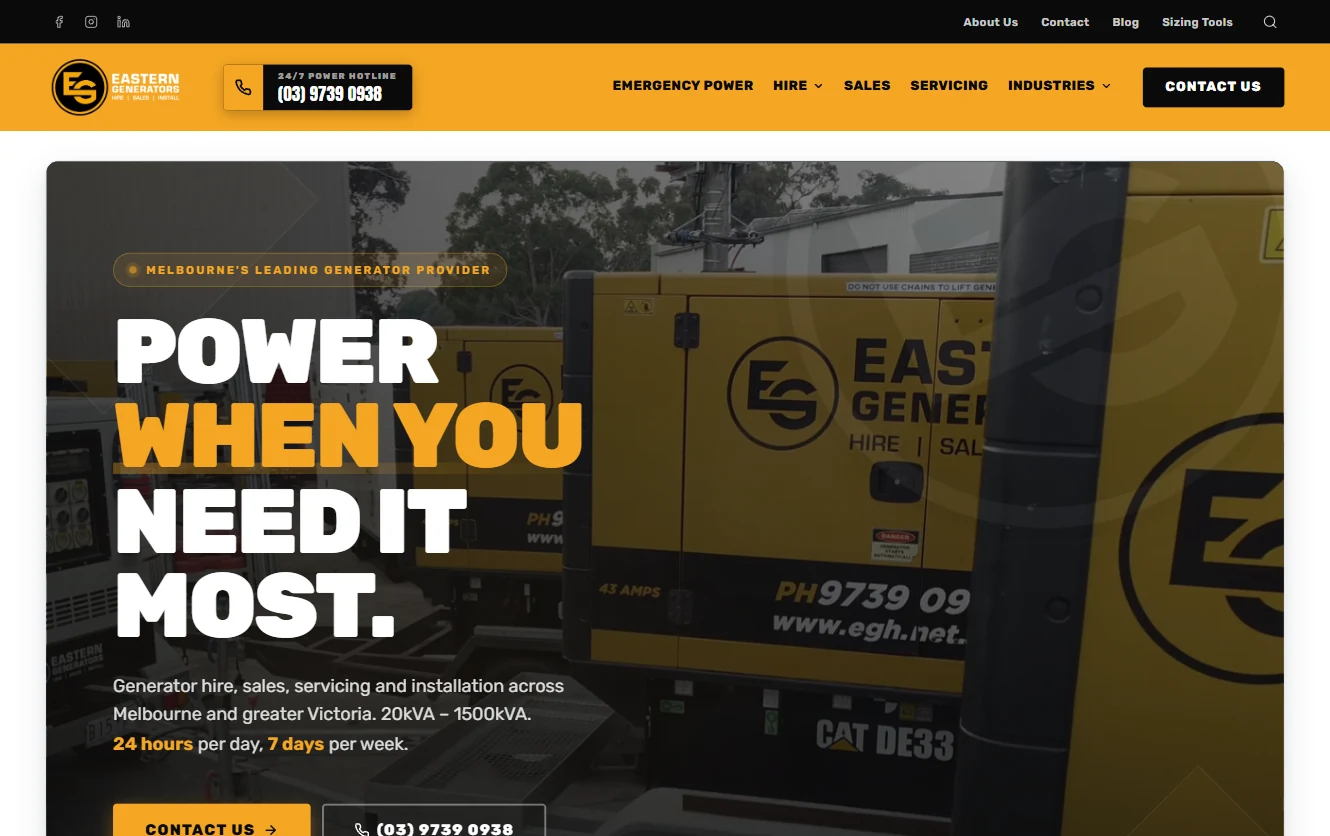
That’s the story behind our rebuild for Eastern Generators Hire (EGH). The new design is a huge step forward. But the more significant change is underneath: we’ve moved from WordPress and Divi to a static Astro front end, a small back office and a development workflow where AI can help us work directly with the code.
That’s what I mean here by an agentic website: a site we can build, inspect and improve through an AI-assisted development workflow. It still needs human direction, review and testing. The opportunity is how much easier it becomes to keep improving it.
Where we started: Divi, plugins and a lot of moving parts
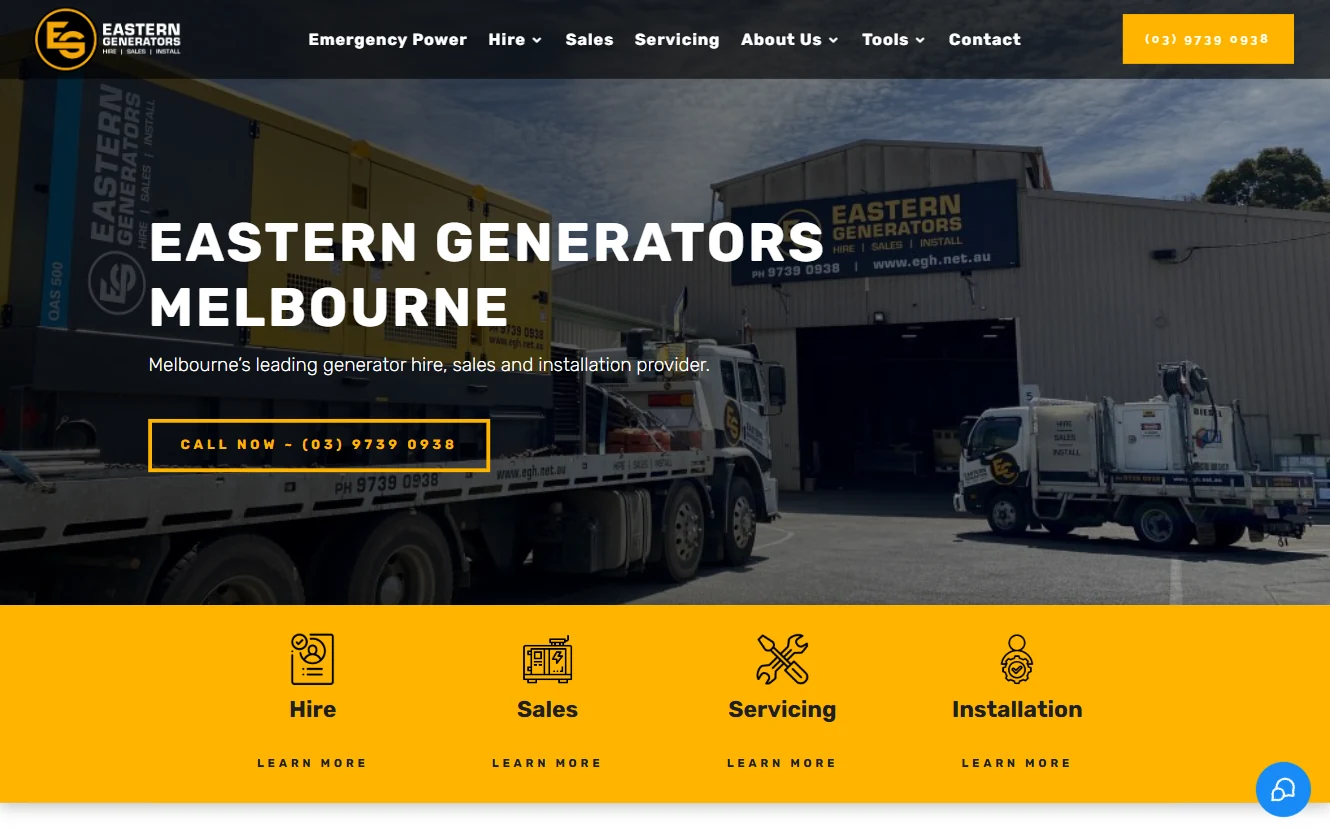
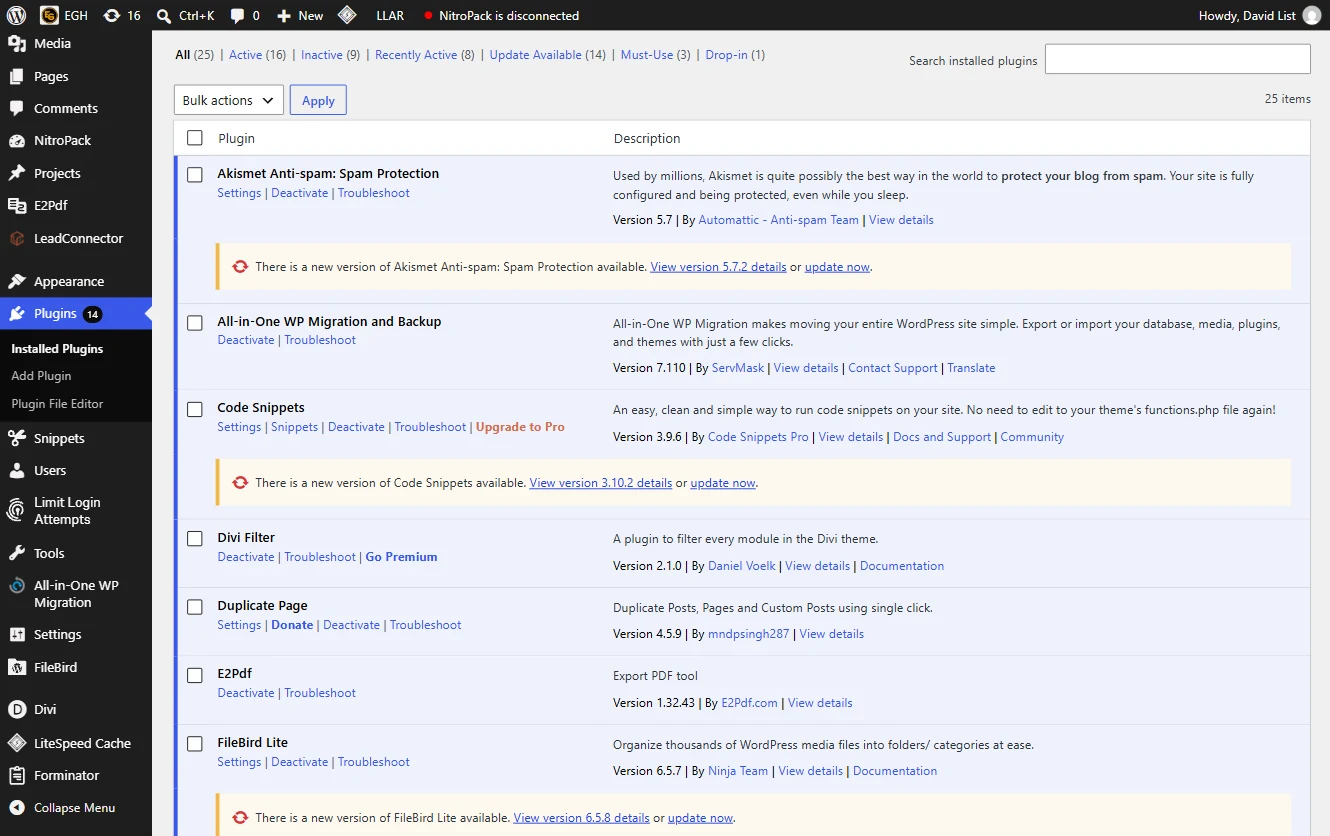
The existing site ran on WordPress with Divi and more than 15 plugins. There was caching, lead routing into GoHighLevel, phone-number tracking and a mix of other integrations. Individually, those things had a purpose. Together, they left us with a lot to manage around a fairly basic, ageing website.
I couldn’t get its PageSpeed Insights performance score above 75 in the tests I was running. That’s my experience of this particular build, rather than a claim about every WordPress site. We were spending effort working around the stack while wanting to make a much bigger improvement to the site itself.
The unlock is being able to keep moving
For a business that runs ads, the website is never really finished. A campaign needs a relevant landing page. A new service needs explaining. A useful customer question deserves a post. The offer changes, and the page needs to change with it.
With the new setup, we can work directly on the templates, content and components with AI assistance, review the changes locally and deploy them. We can reuse what already works while creating pages that suit the next campaign.
There is still work involved: deciding what to say, checking the facts, reviewing the design and testing the result. What changes is the route from an idea to a working page. We’re no longer trying to fit every change through Divi and its surrounding plugin stack.
A CMS where it’s useful
The client didn’t need a full publishing platform controlling every part of the front end. They needed a good website and a manageable way to handle the operational parts behind it.
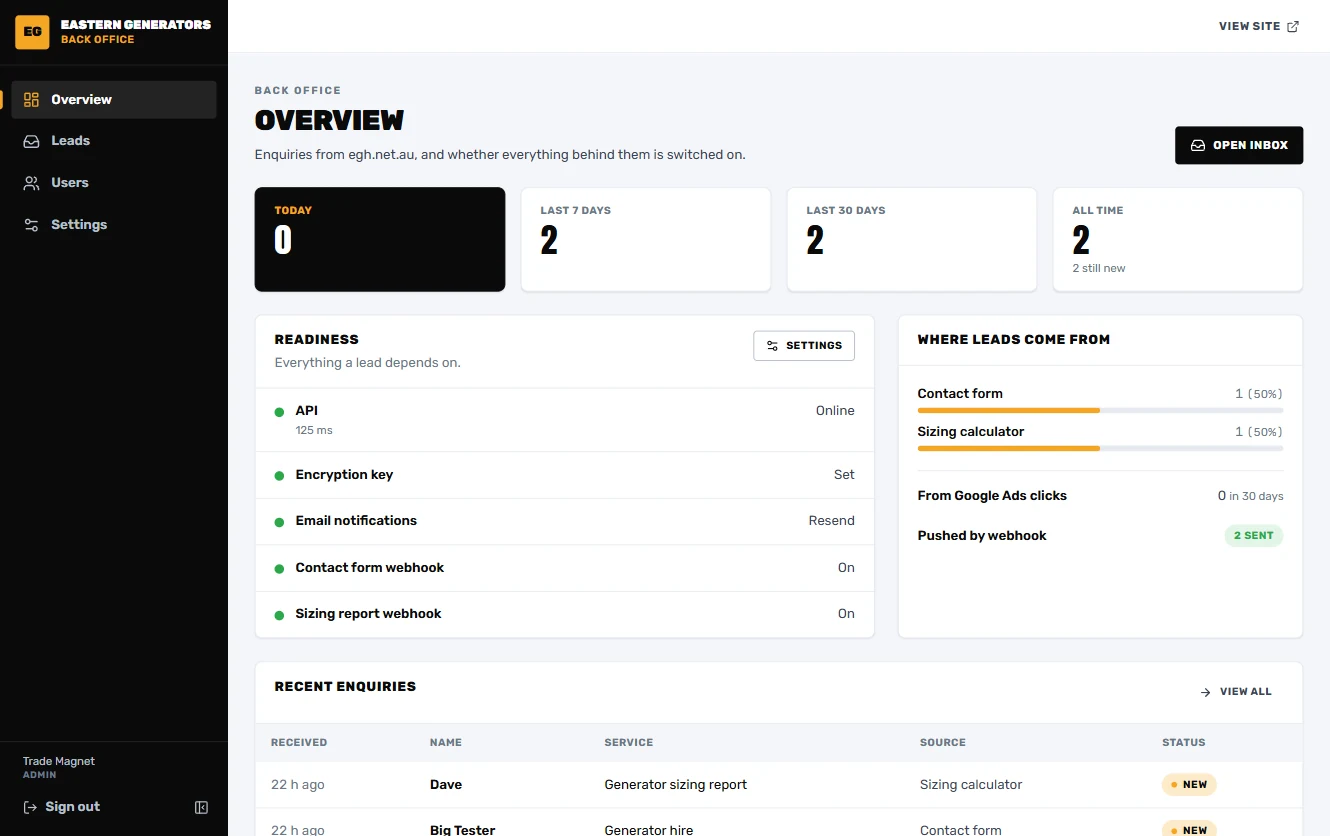
So we kept a small, purpose-built back office. The public site uses static Astro. The admin interface uses React, Vite and Tailwind CSS, with an API behind it. It gives the team a focused place for leads and settings, including the connection to GoHighLevel.
I think of this as selective CMS: give people controls for the things they actually need to manage. Keep the rest straightforward to maintain in code. That balance will look different for a team publishing content every day, but it makes sense for this business.
Room to build something genuinely useful
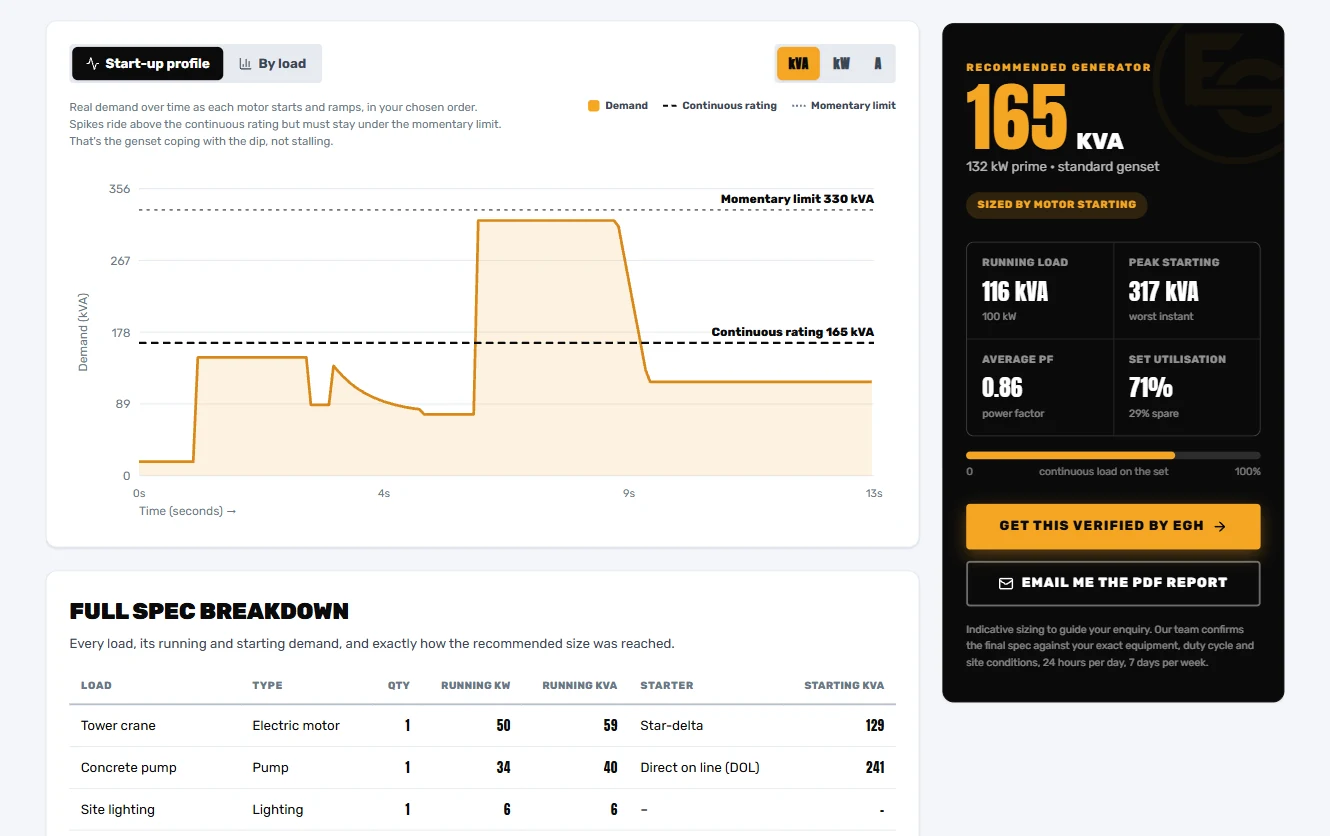
The generator calculator is one of my favourite parts of the new site. We’ve been able to build an integrated tool with dynamic curves and an interface specific to the job it’s helping people do.
That’s where this way of working gets exciting. We can go beyond arranging text and images and build something useful into the customer journey. The calculator belongs to the site, and we can keep developing it as requirements change.
AI helps with the less glamorous work, too
We also used AI to work through the image library: identifying images, giving them descriptive filenames and running them through an optimisation workflow. The developer console gave us another way to inspect the site as we worked.
Having direct access to the code makes it easier to review headings, page structure and shared components systematically. We can inspect the H1s and H2s, fix a template and carry that improvement across the pages using it. Those details still need checking; AI gives us another way to do the work consistently.
From a PageSpeed report to a code fix in the same session
Here’s a practical example of why this matters. We wanted video at the front of the EGH site, but we also wanted the page to show something useful straight away. The new version loads a static image first, so the opening experience doesn’t depend on waiting for the video.
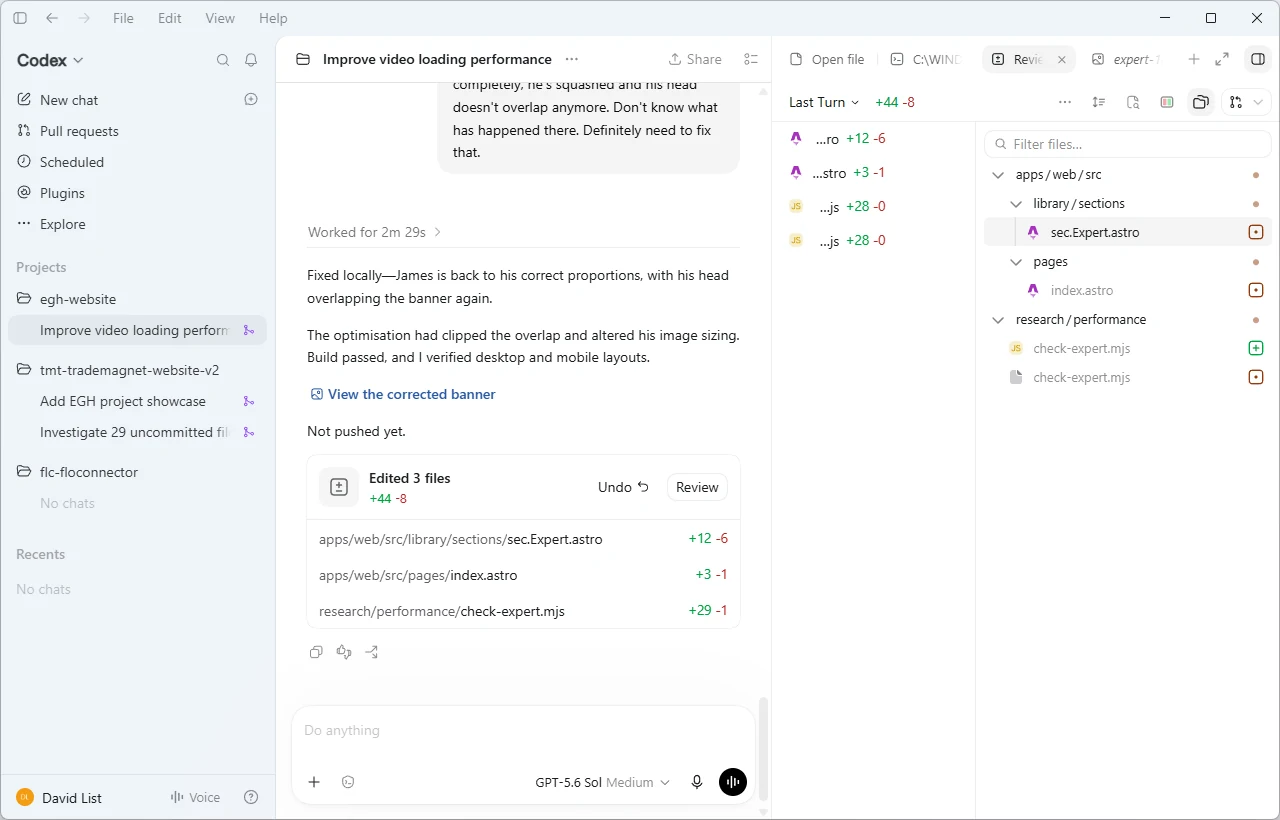
The really exciting part was how we could work on that. I could get Codex to open PageSpeed Insights, inspect what the report was flagging, then go into the code and make the relevant changes in the same session. The report and the work to address it were part of one conversation.
That is a huge unlock. Instead of taking a performance report away, working out which plugin or builder setting might help and then trying another round of changes, we can follow the issue into the implementation. Change how the opening media loads, check the page still looks right, deploy the update and run the report again.
It turns performance work into a much tighter feedback loop: measure, investigate, change, check, measure again. We still need to check what the agent changed. But we can spend our attention on whether the fix works, with much less manual work moving between the diagnosis and the code.
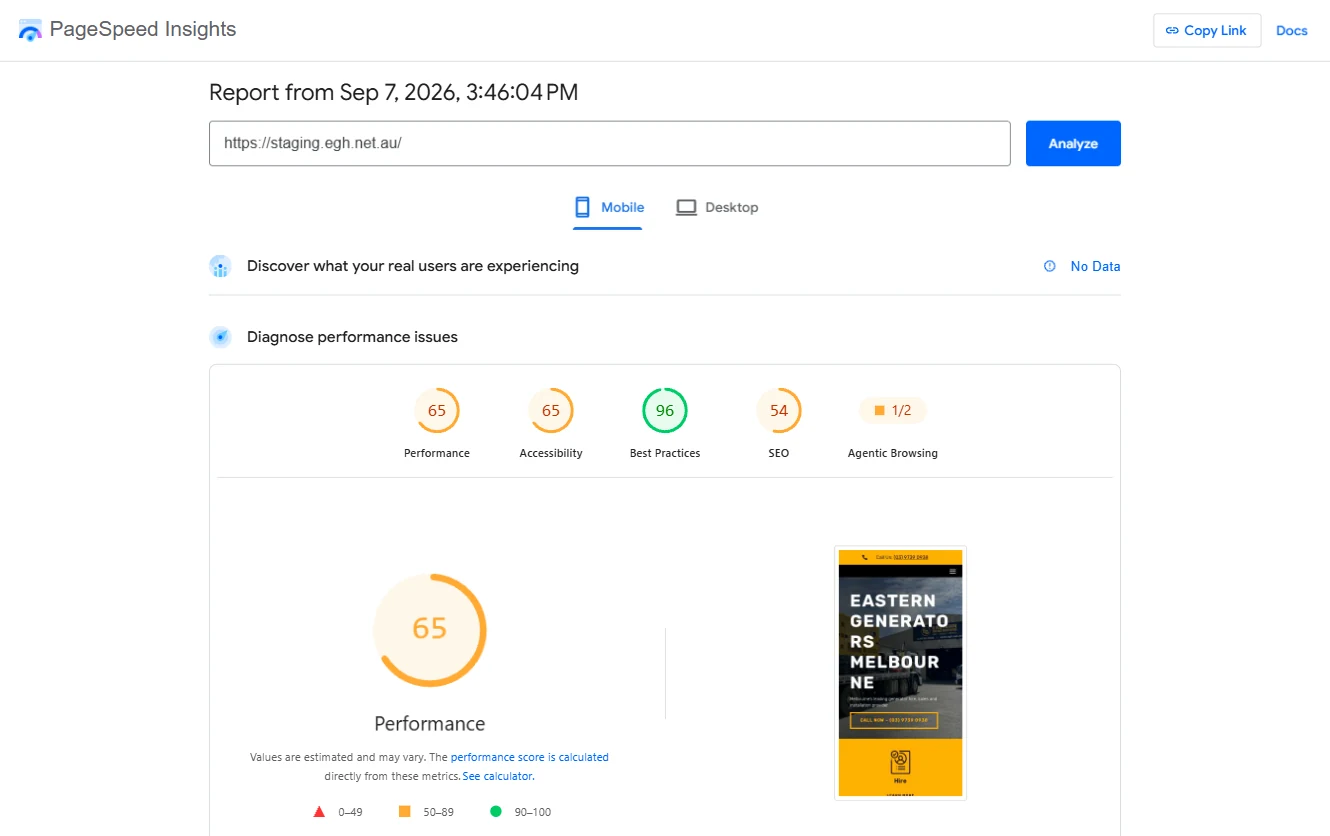
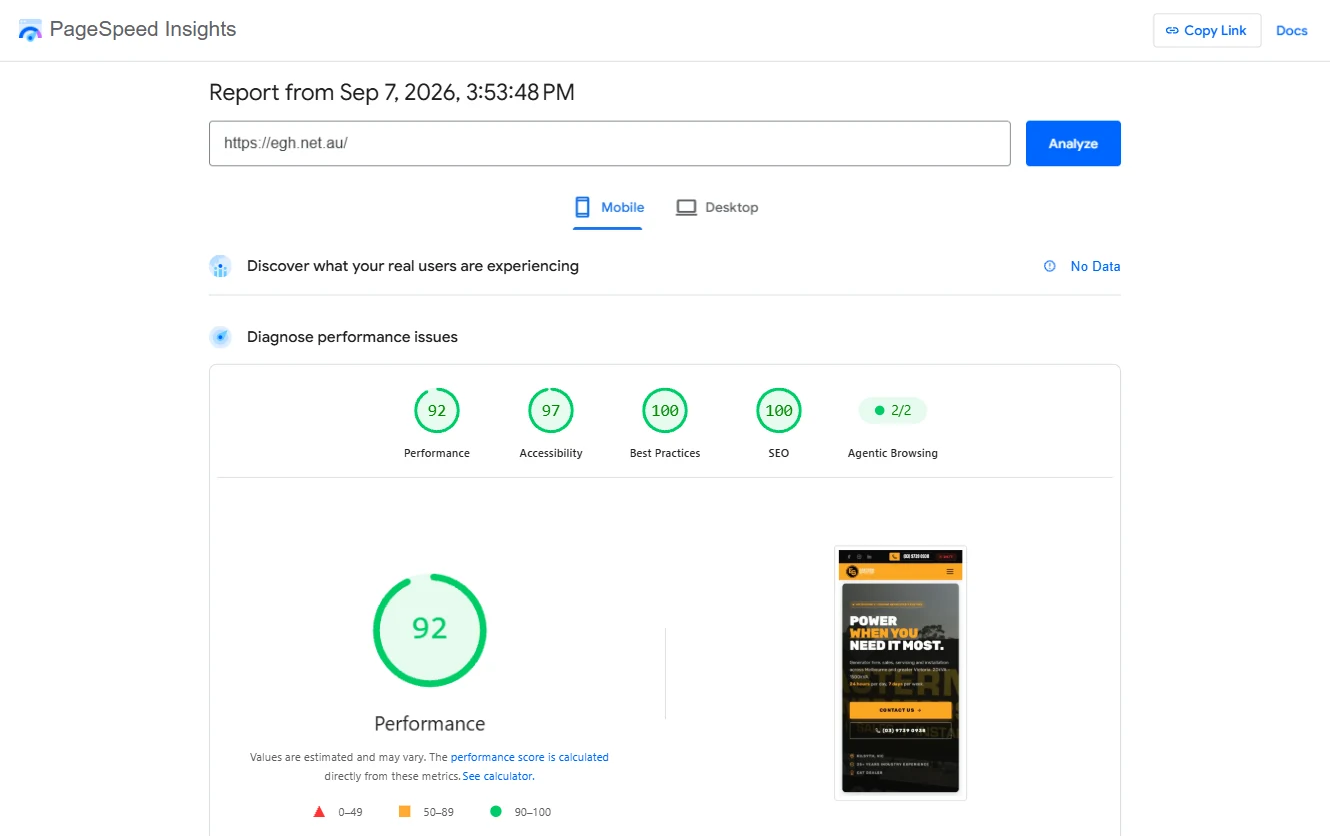
In these two mobile reports, performance went from 65 to 92. Both were captured on the same day, roughly eight minutes apart. The old site was tested on the staging domain and the new site on the live domain, so this compares the two hosted versions rather than isolating the effect of the code alone. These are individual lab runs; both reports show no real-user field data. The SEO score is an audit score, not a measure of search rankings.
Bring search data into that same workflow
This also connects to another product of mine, FloConnector. It connects AI assistants to business tools through MCP, giving the agent access to the tools you’ve enabled through a managed endpoint. Its connector directory includes DataForSEO and Google Search Console.
The combination is what gets me excited. Keyword research, the site’s actual search performance and a PageSpeed report can all inform the next change. With those sources connected and access to the website code, the agent can help investigate an opportunity and work on the page in the same workflow.
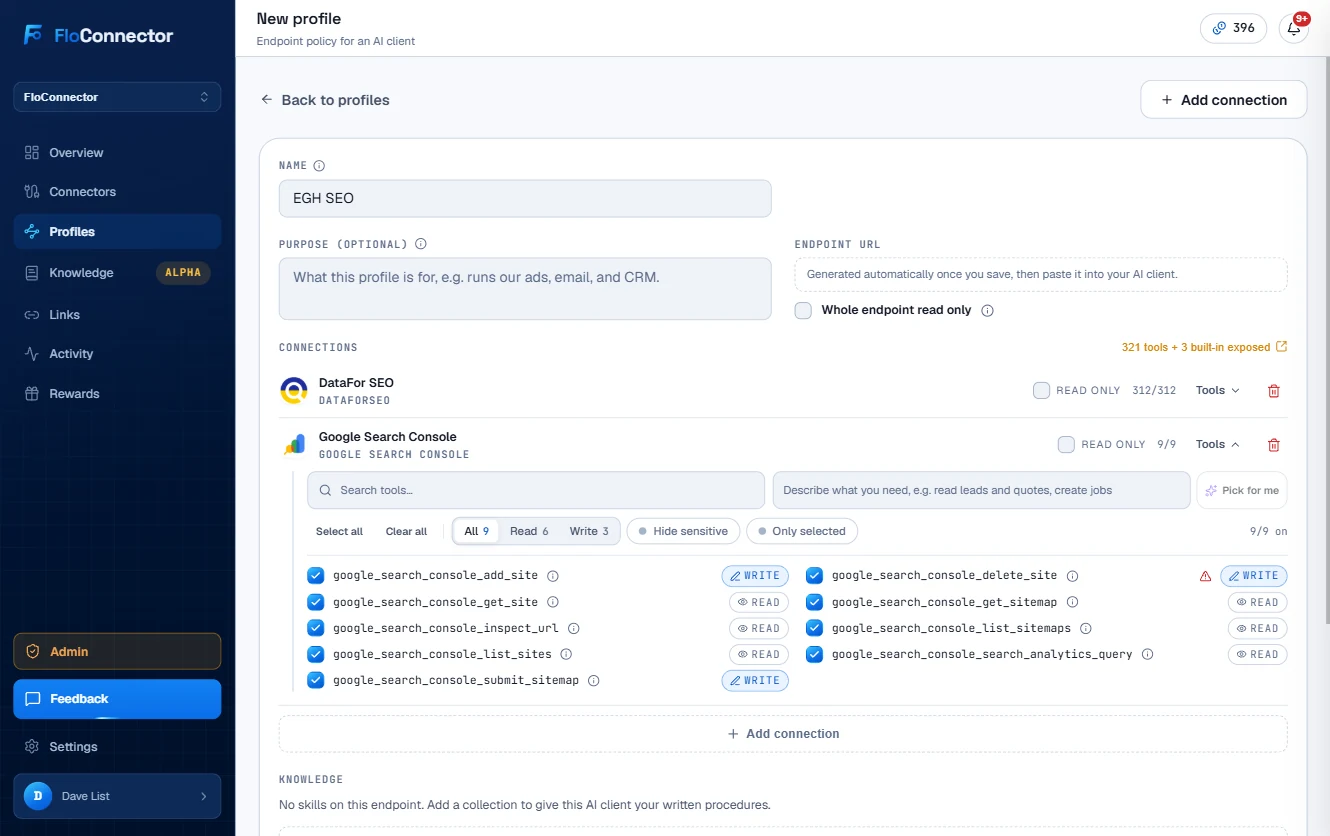
For example, I can ask it to investigate a service page, use the connected search data to find relevant keyword opportunities, and propose improvements to the content. Alongside that, it can inspect PageSpeed findings and address the implementation. We can then review and test the changes before publishing, and come back to the data to see what happened.
That’s a very different way of running a website. I’m spending less time exporting reports, copying information between tools and turning every finding into a separate development task. The agent can carry the context from the research into the actual changes.
Connecting an MCP endpoint provides the data and tools; the agent’s access to the code and deployment workflow is what lets it act on them. Put those pieces together and we can automate much more of the work between spotting an opportunity and getting an update ready. That’s the part that feels unreal to me: the site becomes something we can keep improving in the same conversation we’re using to understand it.
Control comes with responsibility
We host the site on our own VPS and can run it locally for development and review. We have direct access to the code, and we can hand it over to another developer if the client needs that in future.
That control is valuable, but it also means owning the hosting, deployment, backups and maintenance. Changes to the code still need someone capable of reviewing and supporting them. A smaller CMS also means being deliberate about which changes the client can make themselves.
The new site feels quick in use, and the mobile lab reports above give us a concrete performance comparison. We’ll need to track enquiries and ad results separately to understand the commercial impact.
This is where I think service websites are heading
For businesses that want to keep updating their marketing, this is a massive unlock: a fast public front end, a selective CMS and a workflow that lets us build and improve with AI assistance.
EGH is a practical example of that shift. The visual improvement is easy to see. The lasting benefit is having a site we can keep working on, from the next campaign page to a more capable calculator.
Explore the live EGH website or see the project in our portfolio. If you’re considering a similar move, take a look at our web development service or get an estimate.
Ready when you are
Get a real estimate, built around your business.
Answer a few quick questions and find out exactly what it takes to automate the boring bits.
- Free
- About a minute
- Indicative only, not a quote